

Nintendo Switch eShop Gets Native App Update
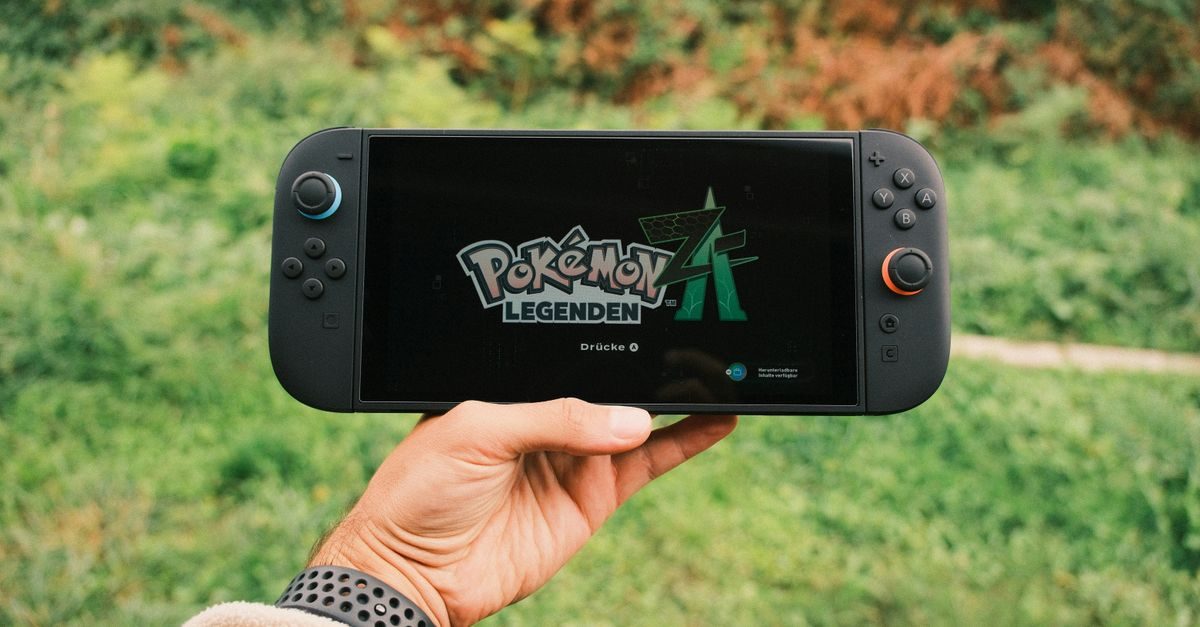
Nintendo's June 2026 firmware update replaced the original Switch eShop's web-based interface with a faster native application. Version 22.5.0 for Nintendo Switch and version 22.0.0 for Nintendo Switch 2 also added dark-mode support, PIN protections and broader system improvements.
This was more substantial than a visual refresh. Moving the storefront away from its older web interface addressed one of the most persistent complaints about the original Switch: slow loading and unstable browsing.
What changed in the Nintendo eShop
Nintenderos reported the update on June 16, highlighting four concrete changes:
- A native eShop application in place of the older web-based experience.
- Faster loading and more stable navigation, with game results organized more efficiently in batches.
- Dark mode that follows the console's system theme.
- PIN verification options for entering the eShop or using saved payment methods.
The report noted that minor stutters could still appear while scrolling. Describing the store as improved is therefore more accurate than claiming that every performance issue disappeared.
Improved search, personalized recommendations, wish lists and richer previews were discussed speculatively at the time. Those features were not confirmed by the cited release information, so they should not be treated as part of the firmware update without separate evidence.
Firmware versions for Switch and Switch 2
The two version numbers corresponded to different hardware:
- Nintendo Switch: firmware 22.5.0
- Nintendo Switch 2: firmware 22.0.0
Both systems received stability and accessibility improvements alongside the eShop work. A console normally downloads available system updates automatically when connected, although users can also start the process manually.
How to update the console manually
If the system has not updated automatically:
- Open System Settings from the HOME Menu.
- Scroll to System.
- Select System Update.
- Allow the console to check for and install the available version.
- Reopen the Nintendo eShop after the system restarts.
Keep the console connected to power during the update when possible. The exact version shown should match the latest firmware offered for that hardware, which may now be newer than the June release.
Why a native storefront matters
A digital store is part of the console experience, not merely a product list. Long waits between pages make discovery harder, discourage browsing and hide smaller releases behind friction.
The native app can respond more quickly because it is no longer loading the entire experience through the previous web layer. Better batching and navigation also make large catalogs easier to explore. The PIN option adds a practical safeguard on shared consoles, especially when payment details are saved.
What the update does not change
The firmware does not remove regional restrictions from Nintendo accounts or prepaid codes. Prices, available games and accepted payment methods can still vary by account country.
It also does not guarantee that every listing is trustworthy outside Nintendo's own store. When buying prepaid credit, confirm that the code matches the account region and that the seller clearly states delivery and warranty terms.
Gudfy users can browse current options in the top-up catalog, gaming section and Marketplace. A firmware update does not change the need to verify region compatibility before buying.
Community response and remaining limits
The source described a positive reaction from Switch players who had spent years asking for a faster eShop. That response makes sense: quicker access improves a task almost every digital buyer performs.
Still, the report observed occasional scrolling hitches, and it did not publish independent performance measurements. The most defensible conclusion is that the native rebuild made the storefront materially faster and smoother, while leaving room for further refinement.
FAQ
Which update improved the Nintendo Switch eShop?
The June 2026 report identified firmware 22.5.0 for Nintendo Switch and 22.0.0 for Nintendo Switch 2.
What was the biggest eShop change?
Nintendo replaced the older web-based interface with a native application that loaded faster and offered more stable browsing.
Did the update add security controls?
Yes. The report described PIN verification for opening the eShop or using saved payment methods.
Does the new eShop support dark mode?
Yes. Its appearance can follow the console's system theme.
Source: Nintenderos, published June 16, 2026.
Related reading
Xbox Game Pass Ultimate Discount: What to Check
A multi-month Xbox Game Pass Ultimate discount was reported in selected stores. Learn what to verify before renewing a subscription or buying a code.
Read →
Two Point Hospital Collection Launches September 16
Two Point Hospital: Full Health Collection brings the base game and every DLC to PS5, Xbox Series X|S and Switch 2 digitally on September 16.
Read →
Glover and Street Racer Get Free Switch Updates
QUByte announced free Nintendo Switch updates that add the original PlayStation versions of Glover and Street Racer Collection.
Read →